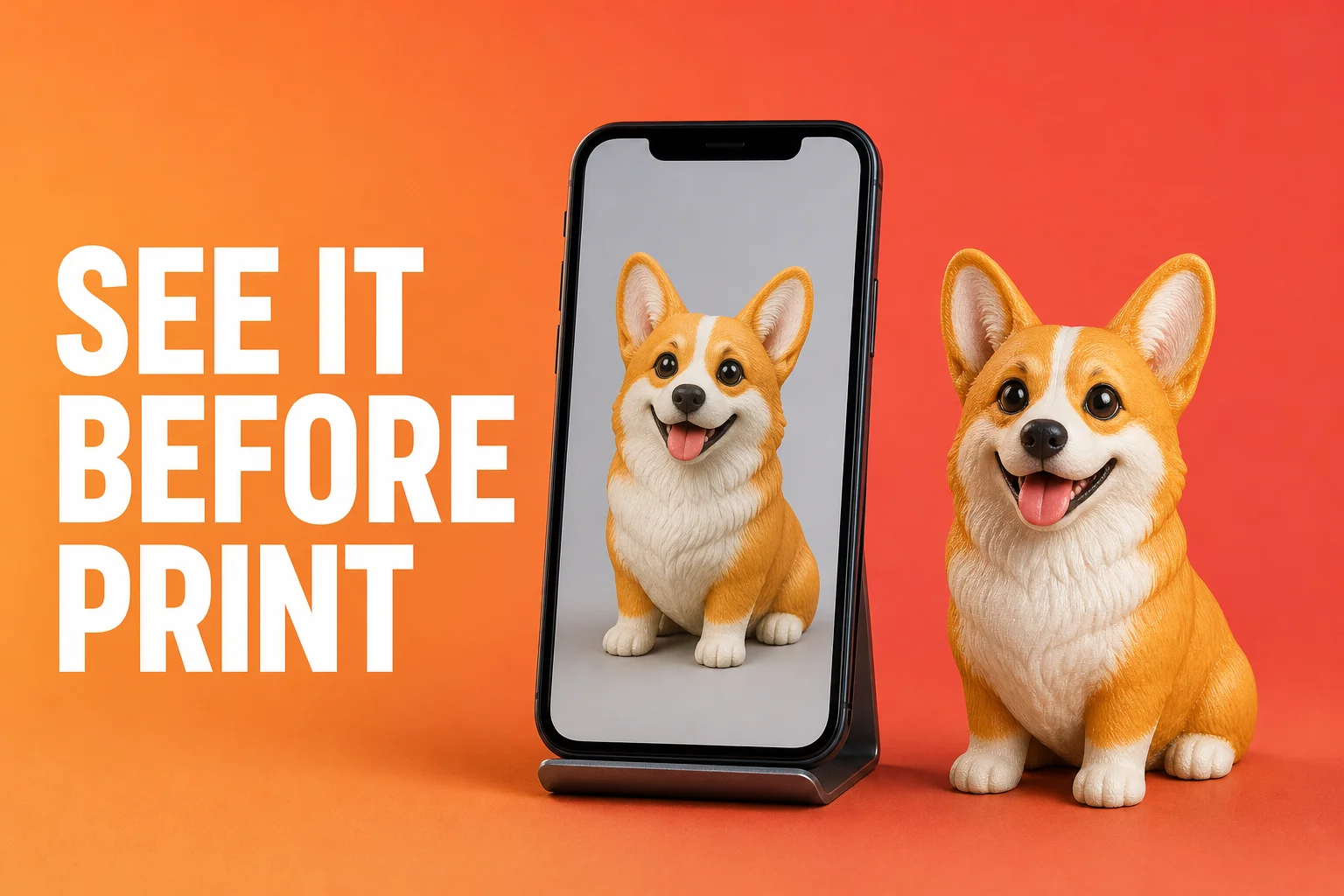
The biggest anxiety in customization? Paying before you know what it looks like. You hold a vision in your head; will the finished piece match it? That gap between imagination and reality is the sword hanging over every custom buyer's head. AnyMade has always put "seeing the result" before "spending money" — and this major overhaul of our preview generation system delivers on that promise faster, truer, and with more creative freedom than ever.
What the upgrade solves
1. Faster: previews in ~40 seconds
The old problem: AI generation could take 2–3 minutes. Users either waited anxiously or second-guessed whether it was still working. After upgrade: Upload a photo and see your figurine preview in about 40 seconds. The wait page shows real-time progress ("understanding photo 15%", "generating geometry 48%"), and the image loads progressively—outline first, then colors and details fill in. Far less anxiety, and you can see it working.
Two things made this jump:
- Model optimization: Stripped non-essential compute steps while keeping the features that decide "does it look like them?"
- Infrastructure: Doubled GPU cluster capacity and parallel generation throughput.
2. Truer: better capture of identity features
The old problem: Earlier generations would "hallucinate"—add things that weren't in the photo or drop key details. A tiger-striped cat might lose its stripes and become spotted. A character's signature hairstyle might blur into generic long hair. After upgrade: The new pipeline preserves identity features far more reliably. We introduced stronger feature anchoring:
Color-region recognition: Pet fur distribution, human skin tone gradation, clothing color blocks—the system identifies these as independent features early, not a blended soup.
Structural anchoring: Face shape, body proportions, fabric folds are "locked in" early in generation, so later detail-filling doesn't corrupt the core structure.
Accessory detection: Glasses, jewelry, hats, weapons, signature items are identified and weighted as important. They won't be weakened or forgotten.
3. Freer: truly independent style engines
It's not just "one-click style swap". Each style is genuinely optimized:
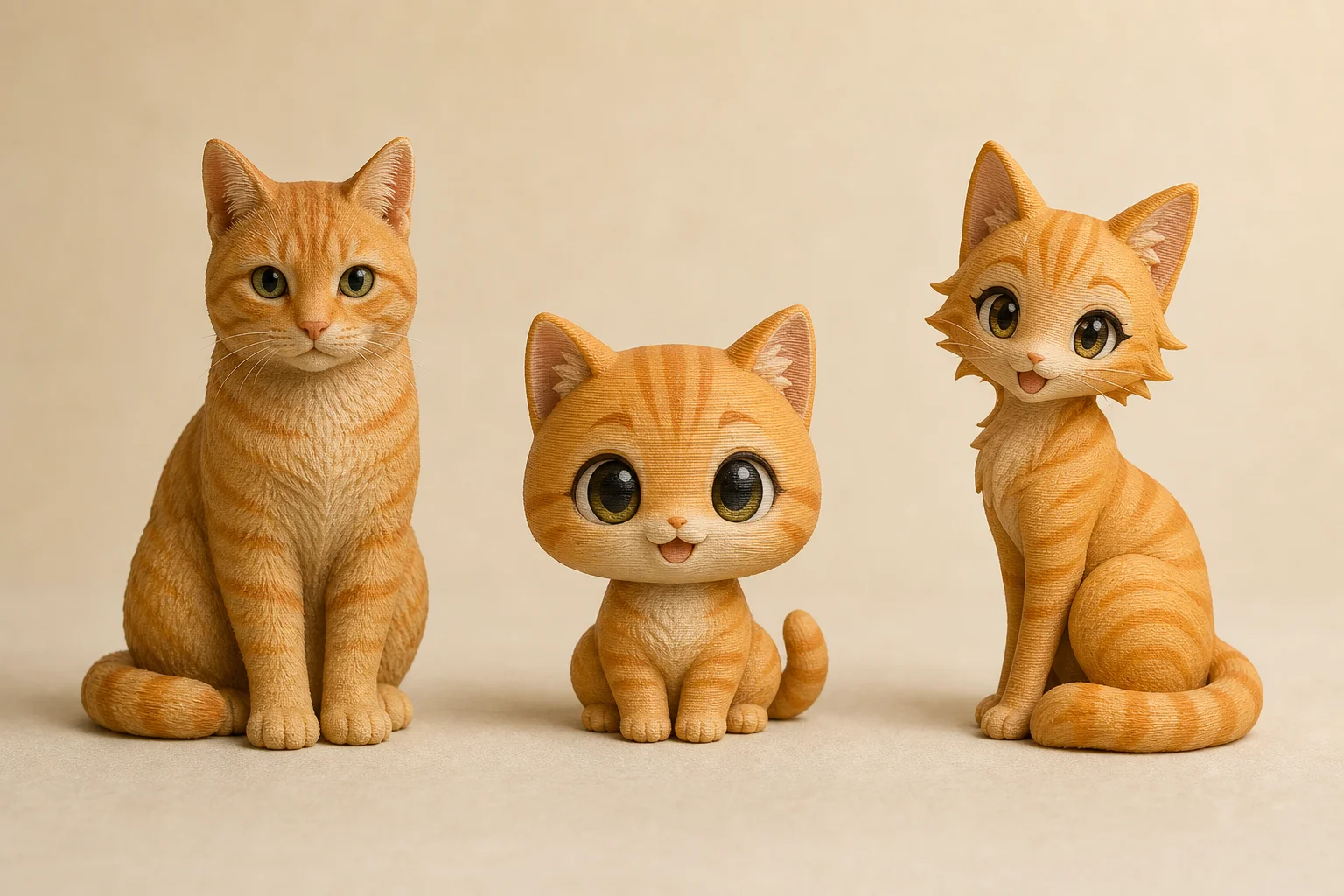
Realistic: Maximum photo fidelity—light detail, skin texture, fur fluff. Best for pet portraits or character headshots.
Chibi: Head-body ratio adjusted (enlarged head), simplified features but full personality. Adorable, popular for cute pet figurines.
Anime: Strong line work, enlarged eyes, vivid colors—targets 2D anime aesthetics head-on. Perfect for character IPs, virtual idols, original characters.
Same photo, three completely different moods. The key: each style path is optimized, not just parameter-tweaked.
Why independent engines matter
We could have built one model with sliders: "realism dial" 0–100, "cuteness dial" etc. Far simpler. But that's not how professional design works. An anime character rendered realistically still looks uncanny—you're fighting the source material. A fluffy pet squeezed into chibi proportions loses its charm if the geometry doesn't follow chibi design principles. So we built three separate generation pipelines, each trained specifically for its style domain, each with its own feature priorities. A messy anime screenshot? It'll look clumsy in realism mode but nail the character perfectly in anime mode. A shy dog photo? Realistic mode captures the timid eyes; chibi mode cranks the adorableness to maximum. Users testing thousands of previews showed this pattern clearly—one photo, wildly different results depending on style choice—which is exactly what we designed for.
4. Preview is the blueprint: true WYSIWYG
This is the most important part of the upgrade. Many platforms suffer from preview-to-print drift: colors shift, scale changes, detail gets lost. Not here.
Our approach:
Preview is production-ready: Our AI's output already accounts for full-color resin printer specs—actual color gamut, layer precision, etc. What you see on screen is what the machine will physically print, not an idealized render.
Config-page 3D viewer: After generation, rotate your model in full 3D on the config page. Change size (5–20cm or custom), switch materials (full-color, monochrome, translucent, steel), and see the exact visual outcome for each choice. No surprises.
Live pricing sync: Pick your size, choose your material, toggle rush delivery—price and lead time update instantly. Total transparency, no hidden fees.
The technical reality behind WYSIWYG
Our preview renderer is calibrated to match actual print output. Full-color resin printers have specific color gamuts and layer-precision limits. If we generated idealized previews ignoring these constraints, users would rightfully feel misled. Instead, the preview pipeline is calibrated against real printed output, so these constraints are baked into preview generation. This is why users report such high satisfaction with our prints—the preview isn't a best-case fantasy, it's a conservative forecast that our machines reliably hit.
Real-world scenarios
Scenario A: Style-hunt in minutes
You want a figurine of your golden retriever. Upload a recent head-on photo, and in 40 seconds, you have a realistic preview—almost too photorealistic, losing the charm of a toy. Swap to chibi, and boom: oversized cute head, full personality. Another 40 seconds, you've explored two opposite directions. Show both to friends, vote, decide which to buy. Zero cost, zero friction.
Scenario B: Photo pivot improves results
You have an anime character screenshot, but the angle is bad and the face is half-hidden by hair. The first preview looks vague and faceless. You remember a high-res character sheet, upload that instead, regenerate, and 40 seconds later: crystal clear—eyes, hair detail, outfit all pop. This feedback loop used to be minutes; now it's instant.
Scenario C: Preview-to-purchase in 3 minutes
You see a friend's dog figurine and want one of your own. Upload your dog's photo, match the style and config, preview loads and it's perfect. Check the live price and 4–7 day lead time, and hit purchase. Upload-to-checkout: under 3 minutes.
Getting the most out of preview generation
1. Run the style gauntlet
- Try realistic first: confirms the AI understood your photo
- Try chibi: watch it transform into pure cuteness—often surprising
- Try anime: if it's a character or creative piece, this style often has the most soul
Users' "aha moments" often happen here—a mediocre photo suddenly glows in one style.
2. A/B test with multiple photos
The same subject, different angles, yields different generations. Generally:
- Head-on, well-lit: Safest bet, confirms likeness at baseline
- Side or 3/4 view: Captures volume and body lines
- Close-up: Highlights facial detail, but must be sharp
Upload a few angles and pick whichever generates best.
3. Be specific in text prompts
If generating from text (no photo), specificity pays:
- Don't say: "yellow cat"
- Do say: "orange tabby with long fluffy fur, blue eyes, sitting pose"
Concrete color, pose, and anatomy keywords guide the AI toward your mental image.
4. Free credits are for experimentation
- No account: 1 free try
- After sign-up: daily free credits (amount varies by account tier)
- Beyond that: credits via point system
This is intentional. We want you to experiment freely. Try styles, angles, prompts. Find the sweet spot.
FAQ
Do previews cost money?
No. One free try without an account; free daily credits post-signup, then points beyond that. Preview generation itself never charges.
Will colors differ from the preview?
Full-color printing is very faithful, but screen and physical media differ: screens glow, prints reflect. Expect minor shifts (screens skew brighter, prints skew warmer). This is normal and usually imperceptible. If the finished piece has color variance you can't accept, contact support for a reprint assessment.
What if preview generation fails or looks wrong?
If generation stalls, retry (usually clears immediately). If repeated tries disappoint, check My Creations for saved attempts and chat with our team for tips. Sometimes swapping photos or adjusting descriptions helps.
Are my generations saved? For how long?
Yes, everything stays in My Creations indefinitely. Come back anytime to edit, configure, or order that old preview you loved.
What file types and methods are supported?
- Photo upload: JPG/PNG, any resolution (auto-optimized)
- Text-only generation: Pure description when you lack a photo (virtual characters, whimsical concepts)
- Hybrid: Photo + text directions (upload a cat photo + "wearing a samurai outfit wielding a sword") for wildly unique results
Can I use preview images commercially or for promotion?
Preview images are yours to use personally, share on social media, give as gifts. For commercial use (advertising, publishing, resale), check with support first.
What makes a photo more likely to generate well?
Best practices:
- Clean background: Solid color or natural—avoid clutter
- Clear lighting: Natural or soft indoor light, avoid backlighting and harsh shadows
- Main subject visible: Should fill 50%+ of frame, not tiny
- Natural angle: Front, side, or 3/4 view. Extreme top-down or worm's-eye rarely help
- Color detail intact: If your subject has distinctive colors (pet fur, clothing, markings), ensure they're crisp and visible in the photo
The upgrade is live now. Whether you're capturing your pet, immortalizing a character, or bringing a creative vision to life, upload a photo or description—40 seconds later, what you see is what you get. AI photo-to-3D customization is past the days of "hope it turns out okay." It's all preview now.
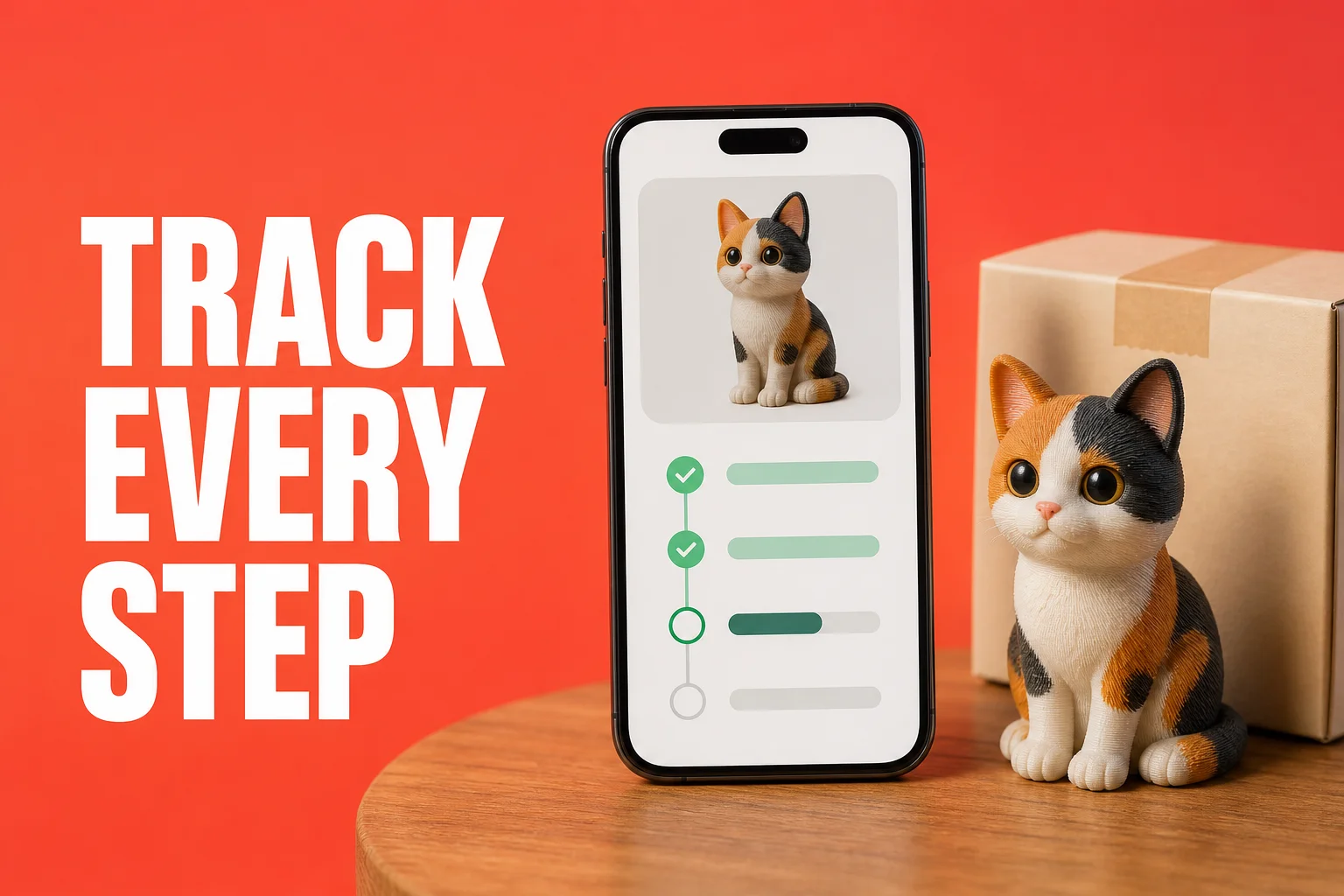 Track Every Step: Real-Time Order Progress at AnyMade
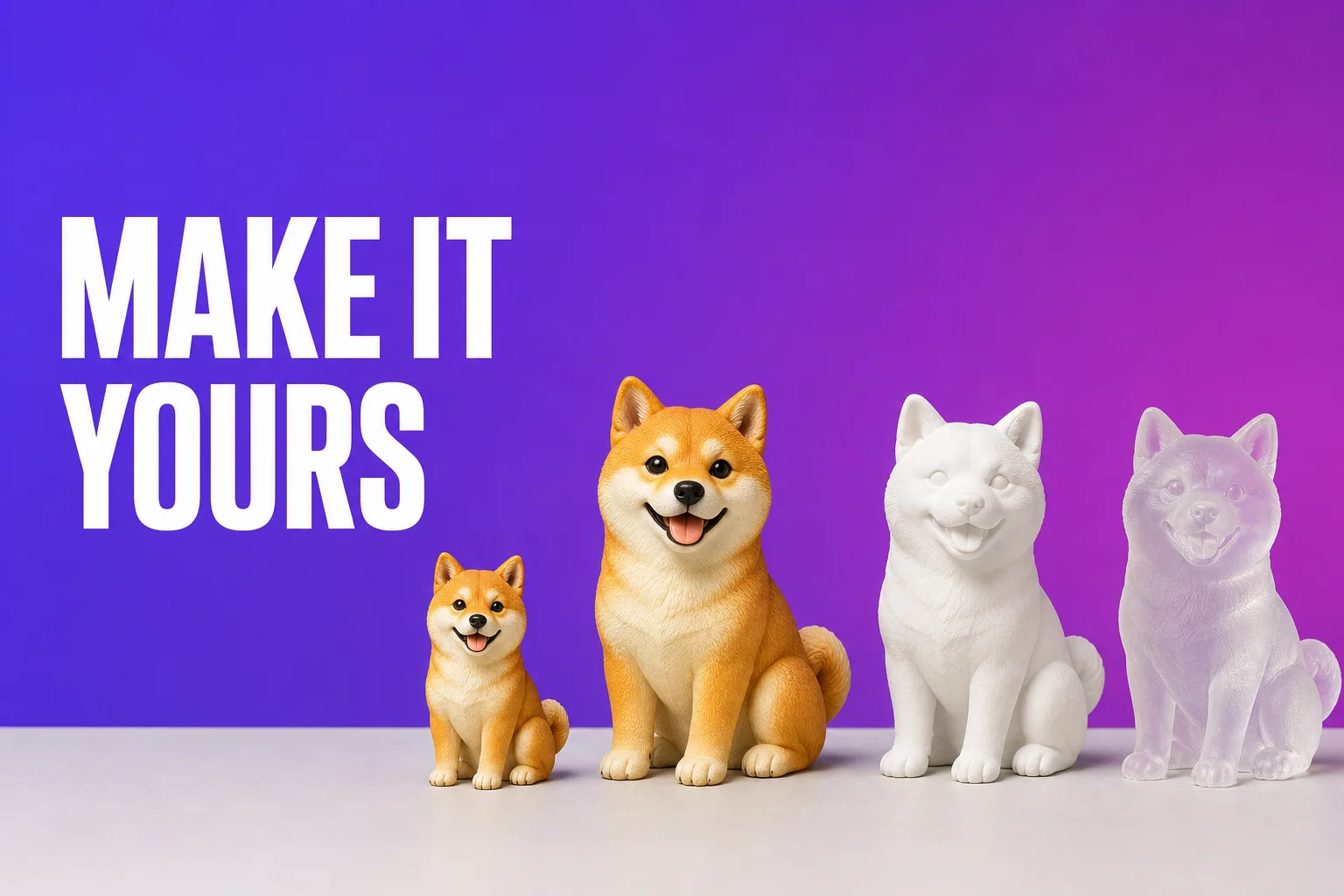 Style, Size & Material: Personalize Every Detail of Your AnyMade Figurine