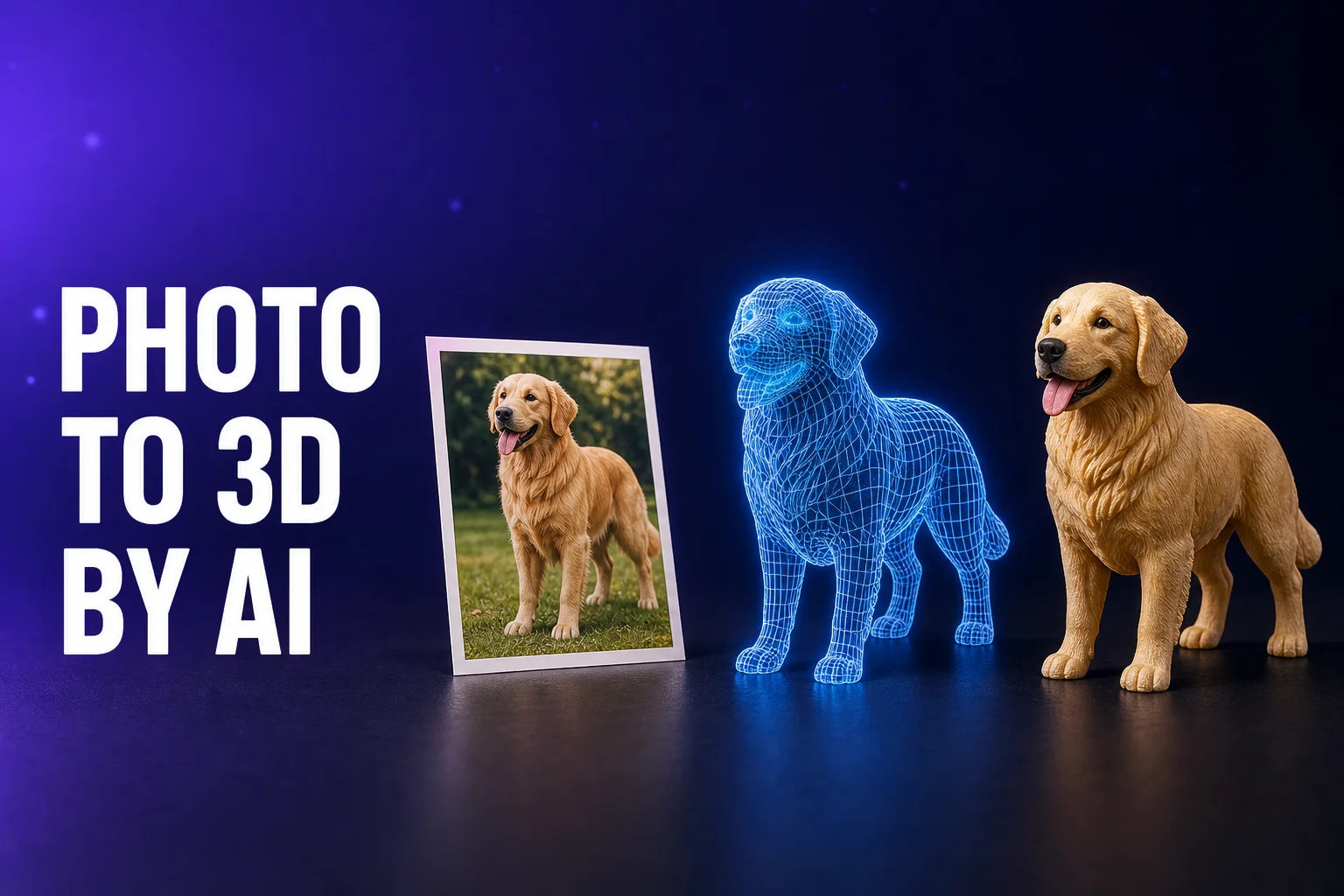
"Make this photo into a figurine" — five years ago that sentence meant two weeks of back-and-forth with a sculptor, three revision rounds, and a month of production. On AnyMade today it means upload, wait 40 seconds, order. Everything that disappeared in between was taken over by AI generation technology. This article walks through that technological revolution step-by-step, and how to spot which photos will work best.
What Does AI Actually Solve in Photo-to-3D?
A photo has one viewpoint and one layer of pixels. To become a printable three-dimensional object, AI must infer everything the photo doesn't show:
- The unseen side — the photo shows the face; what does the back look like? How is hair distributed? How do clothes fold?
- 3D structure inference — ear thickness, tail curvature, limb positioning, skeletal proportions
- Printability constraints — stable center of gravity, adequate wall thickness (minimum ~0.8mm), handling of overhangs and free-floating structures
This task—called "single-view 3D reconstruction"—was a core unsolved challenge in computer vision for over a decade.
Modern generative AI solved it by training on massive 3D datasets (real scans, architectural data, game assets, etc.), learning single-view-to-complete-3D inference. More critically, diffusion models and large-scale pre-training enable AI to infer reasonable 3D forms from ambiguous inputs (a casual phone photo, even text descriptions). This is the technical bedrock that moved photo-to-3D from research papers into consumer products.
Technology Evolution: From Academic Papers to Phone Apps
Phase 1: Single-View Reconstruction as Research (2015–2018)
Early 3D reconstruction relied on:
- Deep networks (like 3D-R2N2) predicting voxel grids or point clouds from single images
- Classical computer vision (SIFT, structure-from-motion) as scaffolding—highly sensitive to lighting and backgrounds
- Output quality was low; detail was lost. Mostly proof-of-concept demonstrations.
Hundreds of papers. Few products.
Phase 2: Neural Implicit Functions & Reparameterization (2019–2021)
Implicit function representation (like NeRF) upended 3D reconstruction:
- Neural networks learned continuous 3D space, breaking through voxel and mesh resolution ceilings
- Single-view NeRF couldn't handle arbitrary photos, but first proved "inferring a complete 3D sphere from one photo" was actually feasible
- Geometric priors and regularization steadily improved quality
A shift from "can we?" to "can we do it decently?"
Phase 3: Diffusion Models & Conditional Generation (2022–2024)
Game-changing breakthrough:
- Image diffusion models (like Stable Diffusion) showed extraordinary text-to-photo generation
- 3D generation models adopted the same diffusion framework, enabling direct high-precision printable mesh generation from multi-view or single-image conditioning
- The key leap: Conditioning on your own photo (not random generation) — users could upload personal images and get personalized 3D output
This is the technical generation AnyMade sits on, and why anyone can upload a photo today and get an instant preview.
Looking Ahead
Future possibilities:
- Finer detail retention (hair strands, wrinkles still simplify at small scales; future may preserve more)
- Multi-view seamless fusion (3–5 photos of the same object producing more accurate complete geometry)
- Material and lighting 3D reconstruction (currently geometry-only; future may capture reflectance, roughness)
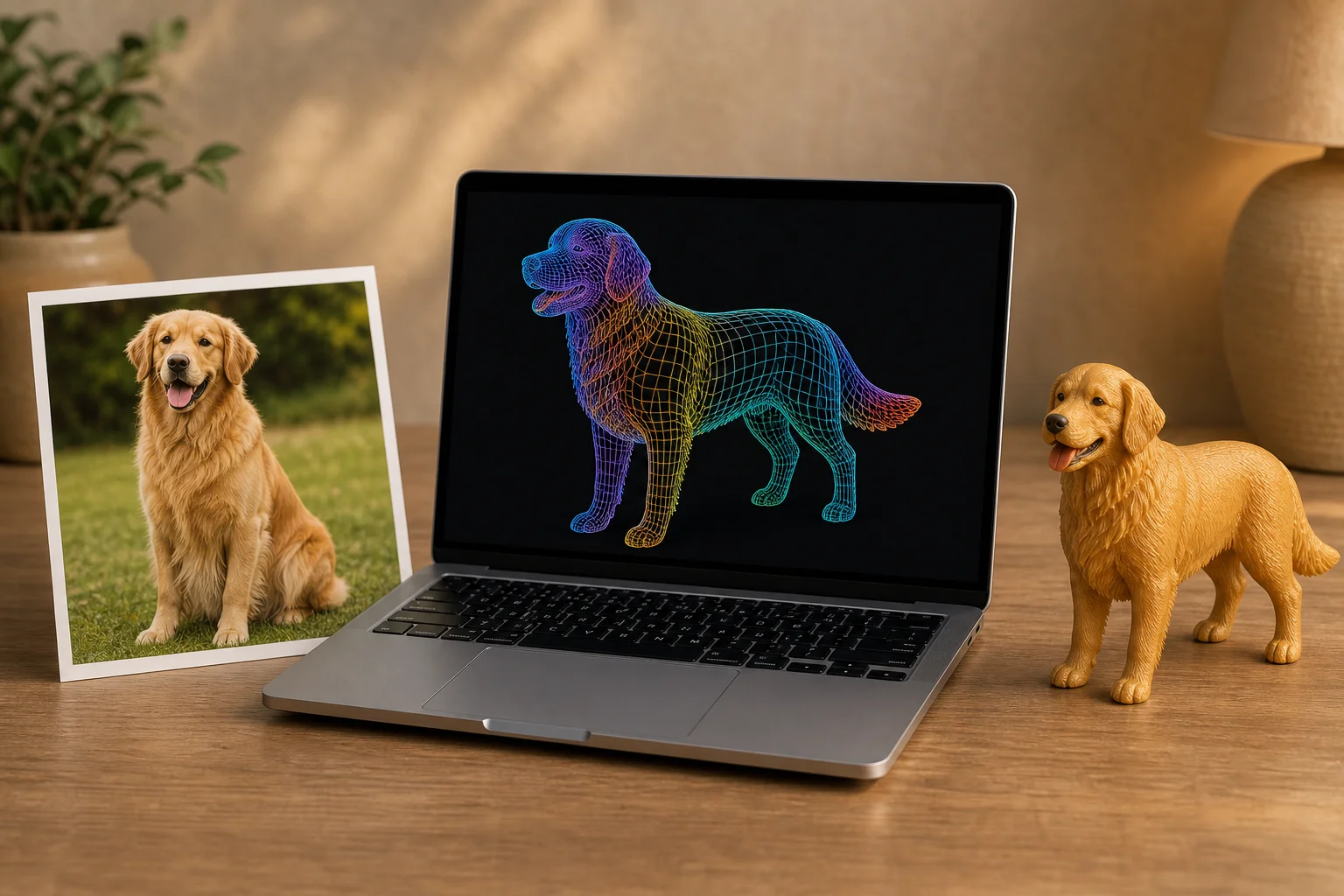
AnyMade's Two-Stage Pipeline: The Deeper Logic
Stage 1: Photo → Preview (~40 seconds)
An image generation model produces a figurine-styled preview. What happens under the hood:
- Style transfer: User selects realistic/chibi/anime style; conditional diffusion produces a preview matching that aesthetic
- Composition & color optimization: The image generator auto-adjusts object positioning and brightness so the figurine will read clearly at small scale with harmonious color
- Background removal: Original background is stripped; replaced with clean white or neutral color for viewing and further processing
This stage is fast and cheap (pure GPU inference, no 3D storage). So you can iterate infinitely:
- Chibi doesn't feel cute enough? Switch to anime style and regenerate.
- Colors too dark? Adjust saturation and try again.
- Nothing clicks? Upload a different photo or reframe the shot.
Stage 2: Preview → 3D Model (After Order)
Once you confirm the preview and order, the backend executes stage 2:
- Mesh generation: A 3D model generator, conditioned on the preview, produces a high-precision printable mesh (typically 200k–500k triangles)
- Automated post-processing:
- Topology cleanup: Removes isolated faces, self-intersections, other print-hostile geometry
- Wall thickness validation: Confirms all thin walls meet ≥0.8mm (resin printing minimum)
- Overhang detection & mitigation: Identifies unsupported regions; adjusts geometry or suggests base modification
- Print-scale adaptation: The user's chosen size (5–30cm) triggers automatic scaling that preserves detail visibility at that scale
- Direct production handoff: Optimized STL or 3MF goes straight to the printing queue
This stage costs more (GPU compute, storage) but only runs after the user has committed financially. The platform doesn't pay stage-2 costs for exploratory iterates.
Why Split? Economics Meets User Experience
- Low-cost trial: Stage 1 is cheap. Users freely experiment across styles.
- High-quality commitment: Stage 2 is precise and expensive, but only after confirmed purchase.
- User agency: Preview satisfaction before payment, no up-front deposits or bet-on-unknowns.
This embodies "iterate freely in the cheap half; spend precision only after commitment" — sound business design.
What This Technology Changed
The Minimum Order Unit for Personalization Dropped from 100 to 1
- Traditional customization: 50–100 unit MOQs to amortize tool costs
- AI + 3D printing today: One piece, one price. No tools. Cost = material + print time only.
Design Expertise Became Optional
- Five years ago: Hire a professional modeler, brief them, revise drafts, accept delivery
- Today: Upload a photo. AI infers the 3D. You choose the style, not the sculptor.
Personalized Physical Goods Met E-Commerce Speed
- Custom used to mean: 4–8 weeks
- Now: 4–7 day production + 3–7 day shipping = 10–14 day hand-to-hand. Mainstream e-commerce speed.
Together, these shifts moved personalization from "niche, expensive specialty product" to "everyday mass consumption."
What Photos Work Well? Practical Tips
Not all photos are equal. AI generation success depends on several factors rooted in how the models learn:
Subject Clarity
- Good: Sharp subject outline, soft even lighting, no severe blown highlights or crushed shadows
- Bad: Backlit subjects (black silhouette), motion blur, extreme overexposure
Practical tip: Shoot indoors in natural or soft diffuse light. Subject should be clearly visible; background can be blurred. Avoid strong directional backlighting.
Background Complexity
- Good: Plain backgrounds (solid wall, curtain) or heavily blurred (shallow depth of field)
- Bad: Chaotic backgrounds (many objects, busy patterns); AI tries to model the whole scene, resulting in messy output
Practical tip: Use portrait mode for background blur, or find a clean backdrop. If you want only the subject, note "crop to subject" in the AnyMade config.
Viewpoint Completeness
- Good: Top-down or 45° angle (captures both face and body side)
- Bad: Extreme upshot, downshot, or extreme profile (only one dimension visible)
Practical tip: Include frontal and side information. If you're limited to one extreme angle, add text like "side view of a dog's face" to help AI reason about the missing dimension.
Color and Texture Richness
- Good: Pet fur with depth (light and dark), patterned clothing, skin with warm/cool undertone variation
- Bad: Flat single color (all white, all black), lost texture detail (over-sharpened or heavily compressed)
Practical tip: Shoot with phone's native camera app. Avoid heavy beautification filters or over-compression. Preserve natural color and texture.
Single vs Multiple Subjects
- Good: One subject (one pet, one person)
- Tolerable: Two subjects tightly clustered (two dogs cuddling)
- Problematic: Multiple scattered subjects, or subject interwoven with scene (person sitting on sofa)
Practical tip: If your photo has multiple subjects you want, shoot them separately. Generate multiple figurines independently.
Resolution and Compression
- Good: Native resolution (1080p+), minimal compression (JPEG quality ≥90%)
- Bad: Heavily compressed, heavily downsampled photos (loses fine texture detail)
Practical tip: Use your phone's original camera capture. Avoid aggressive cropping or re-processing. Upload the native file.
Common AI Generation Limitations (Honest)
Detail Simplification
- Ultra-fine structures (thin swords, individual hair strands): At small sizes (5–10cm), these auto-simplify to ensure print strength
- If detail matters: Choose a larger size (15–20cm); finer preservation improves
Multi-Subject Fusion
- Photos with multiple objects risk AI "averaging" features (e.g., blending hair color traits across two separate dogs into one model)
- Solution: Single-subject photos, or process subjects separately
Extreme Style Faithfulness
- Highly unusual hand-drawn or artistic styles: AI may not perfectly replicate them, since it learns from averaged patterns
- Why: AI generalizes from data; rare idiosyncratic styles can fall outside its learned distribution
Narrative Intent
- AI doesn't understand stories. If a photo has visual narrative (person pointing at something), that scene context might not transfer to the 3D model
Workaround: Use text description ("person pointing upward") to guide AI reasoning.
Two-Stage Pipeline Advantage: Revisited
Against single-stage competitors:
| Dimension | Two-Stage (AnyMade) | Single-Stage Competitor |
|---|---|---|
| Preview wait | ~40 sec | 3–5 min (users avoid trying) |
| Iteration limit | Unlimited (cheap) | 1–2 tries (expensive) |
| See final detail before order | Yes | No, surprise after purchase |
| Precision | High (specialized 3D model) | Medium (one-model-fits-all) |
Copyright & Data Privacy: What Users Actually Worry About
Who owns the generated model?
AnyMade's stance:
- You own it: Your photo and generated model exist to produce your figurine
- No public display: Private photos never appear in galleries, marketing, or training data
- Personal commercial use: Your figurine is yours to use, gift, or resell. But you can't sublicense, mass-produce, or sell the model file.
Is this the same as game/film 3D modeling?
- Technical overlap: Both use deep learning and 3D generation
- Goal divergence:
- Game modeling: animation-ready rigs, blend shapes, real-time rendering optimization
- AnyMade pipeline: purpose-built for "prints beautifully and holds up physically" — geometric precision, print feasibility
- Workflow vastly different: Game artists spend weeks refining detail. AnyMade emphasizes automation and speed.
FAQ
Is AI-generated geometry always worse than hand-modeled?
Not necessarily. AI excels at "fast, cheap, captures photographic detail." Hand modeling excels at "extreme artistry, topology optimization, animation-ready." Different goals, not a simple hierarchy.
What if generation fails?
AnyMade's pipeline includes automated QC and human review. Failures or obvious defects trigger automatic outreach to the user for re-upload or parameter adjustment. Models delivered to print are pre-vetted.
Why is the preview so fast but the final model slow?
- Preview (~40 sec): Lightweight image model
- Final 3D model (5–30 min): High-precision 3D generation—more compute Split design balances speed with quality.
Can I upload my own 3D model file instead?
Yes. AnyMade accepts user-uploaded 3D files (STL, OBJ, GLB, etc.) for direct printing, skipping AI generation. Your file must be:
- Print-safe (no isolated faces, self-intersections)
- Sensible scale (1–30cm)
- Legally clear (personal use or licensed)
What if I'm unhappy with the generation?
Iterate freely at the preview stage — regenerate with a different style or photo (free daily credits, points beyond that); nothing is charged until you order. After payment, production starts automatically; if the physical product has a manufacturing defect, the support entry on your order page connects you straight to our team.
How many times can I iterate before ordering?
Unlimited. AnyMade's two-stage design lets you explore styles, photos, and settings with zero cost until you're satisfied, then commit to the high-quality 3D model generation.
Technology matters when it lets more people bring what's in their heads into the real world. Upload a photo and experience 40-second photo-to-3D yourself. Or browse the Inspiration Gallery, find something you love, and "Make This" for instant personalized production.
 How Full-Color 3D Printing Is Changing Custom Figurines